
Orbs — the easy way…
A little while ago, I promised a tutorial on how to make orbs in Photoshop.
If you arrived at my blog from Toad Hollow’s 88 Amazing Photography Links… on Lightstalking, WELCOME! I’m very glad to have you. I hope you enjoy this tutorial. Feel free to stay awhile and check out some of my other posts on photography. If you like what you see, you may want to subscribe to the blog so you don’t miss any posts.
And without further ado, the tutorial…
Start by selecting an image and cropping it to a square. Say, like this.
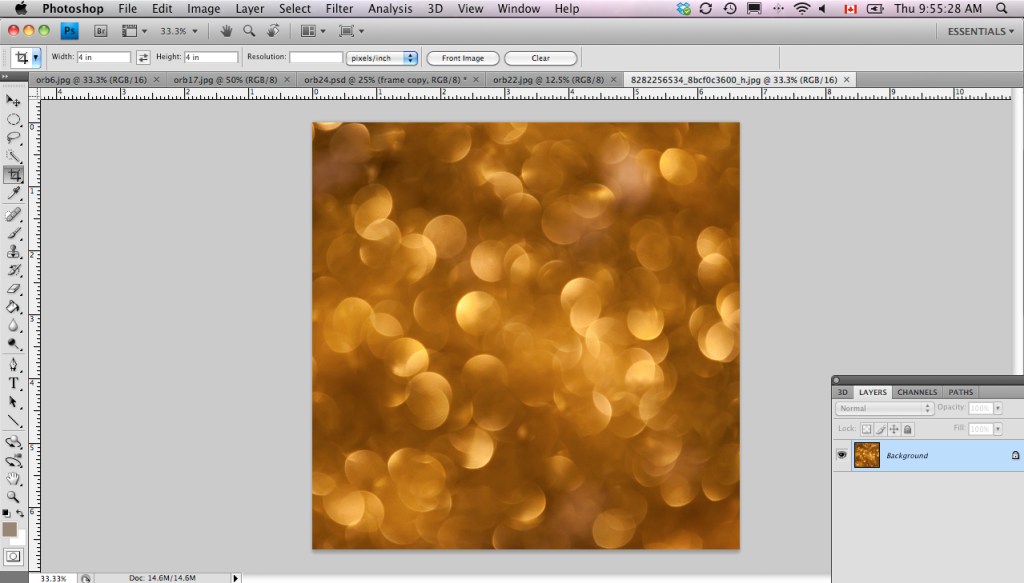
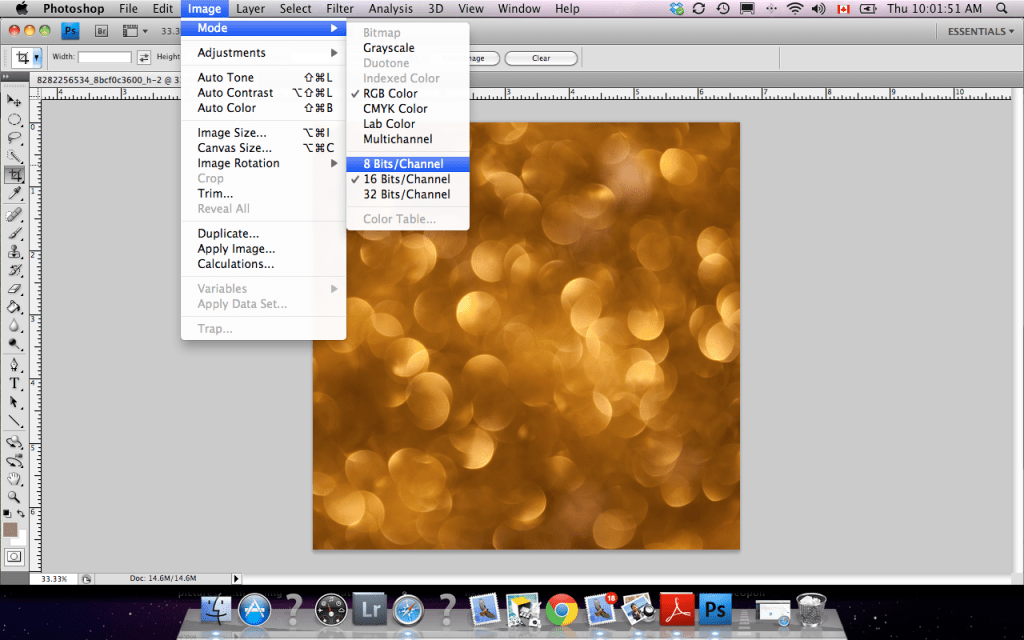
Now, make sure your image is in 8 bits per channel, not 16, or the rest won’t work. You can check this by going into Image > Mode.
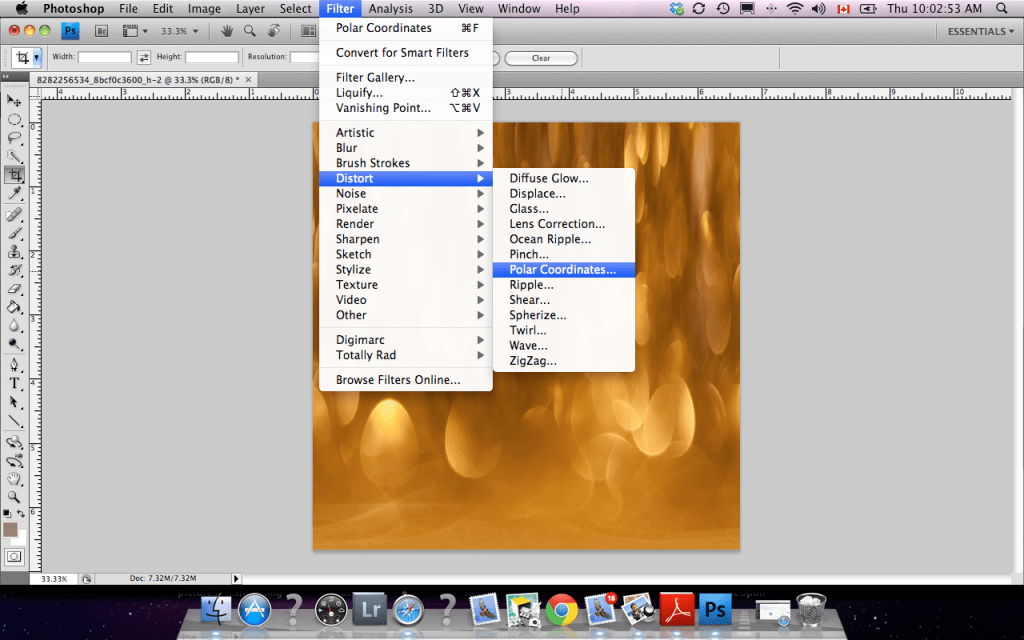
The next step is to go into Filter > Distort > Polar Coordinates.

Click on Polar to Rectangular and OK.

The result.

Then you’ll want to flip your image vertically by going Image > Image Rotation > Flip Canvas Vertical.

The result.

Then go back to Filter > Distort > Polar Coordinates…
Only, this time, click on Rectangular to Polar and OK.

And there you have it! Easy peasy, right?

Now you can apply whatever other effects or textures you want to tweak the image or you can frame the image…
Play to your heart’s content.
Have fun with this technique, and if you feel like it, share your images with me in the comments, and I’ll post some on my blog.

Bokeh ball













 Sherrygaley.com